Q. Can a solenoid be added to the circuit?
A. Hi Stuart, thank you for your question. The keypad only sends a BCD signal. You would need a microcontroller to interpret the BCD. A solenoid cannot be directly driven unfortunately.


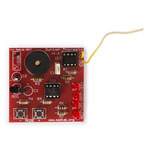
The keyboard encoder project has been designed specifically to support and integrate with teaching schemes for Key Stages 3 & 4. Instruction details are available for free download here, and can be photocopied for class use.
| Type | Keyboard encoder kit |
|---|
Q. Can a solenoid be added to the circuit?
A. Hi Stuart, thank you for your question. The keypad only sends a BCD signal. You would need a microcontroller to interpret the BCD. A solenoid cannot be directly driven unfortunately.
Q. How do i program this keypad, I've been trying for just under a year now and I still don't know how to use it. don't ask me to look at "data sheet" because I have 20 times over so please give instructions on reply. Thanks
Q. How can you program this board when there is no download socket?
A. Hi Clare, thank you for your question. Please see the datasheet for full instructions.
Q. Is the PIC pre-programmed for this application or is the user required to program the code.
A. Hi J Clarke, thank you for your question. The PIC will require programming, an example code is supplied in the data sheet.
Q. How many digit passcode could I use?
A. Hi Harry, thank you for your question. This is an encoder to output a code, any numbers of codes or digit pass codes could be used. It would depend on how long a code was programmed and what was used to decipher the code i.e. Arduino programmed to receive a specific pass code etc, please see the data sheet.
Q. is there a master key or a reset button on this Keypad just incase you forget the passcode also how many Digits long can its be?
A. Hi Asif, thank you for your question. No master key or reset is available as this only outputs the binary code. A receiver or programmer would be required to allow a code to be used. Please see the data sheet.
Q. what are the dimensions of the actual keypad?
A. Hi Geoff, thank you for your question. The keypad size is 50mm x 64mm x 10.4mm.
Q. what are the dimensions of this product?
A. Hi Vasikan, thank you for your question. The dimensions of the PCB are approximately 63mm x 102mm. The keypad is 12mm high above the PCB.
Q. Hi there, I was wondering does this circuit take AAs?
A. Hi Lewis, thank you for your question. This requires a PP3 9V battery (not included) however you could use 6 standard AA batteries with a holder like 18-0120.
Q. How do you input data (entry code for example) and then use the pad. I cant seem to find any instructions to that effect.
A. Hi Ian. Thank you for your question. The data sheet covers the required information on the matrix.
Q. So what can it be used for?
A. Hi Nikita, thanks for your question. This product is designed for students to gain knowledge, skills and understanding in: Component recognition and purpose, PCB circuit assembly and soldering, System and circuit principles, Signal tracing and fault finding, Product design.
Q. How are we to assemble with no instructions , R1 and R2 are different but it does not say which one is which, are there any working or making instructions, cct diagram. etc
A. Hi there, Thanks for your question. The instructions can be found here https://www.rapidonline.com/resources/docs/70-0325.pdf